

Early access, by invitation
A video editor your agent can run.
Everycut is a Mac app that records, edits and exports video. Everything a person can do in it is a tool an agent can call, so you can cut a recording by hand, by asking, or both at once.
An account is an Every account, and the first sign-in needs an invite code.
Record it once. Cut it by reading. Let an agent do the tedious part.
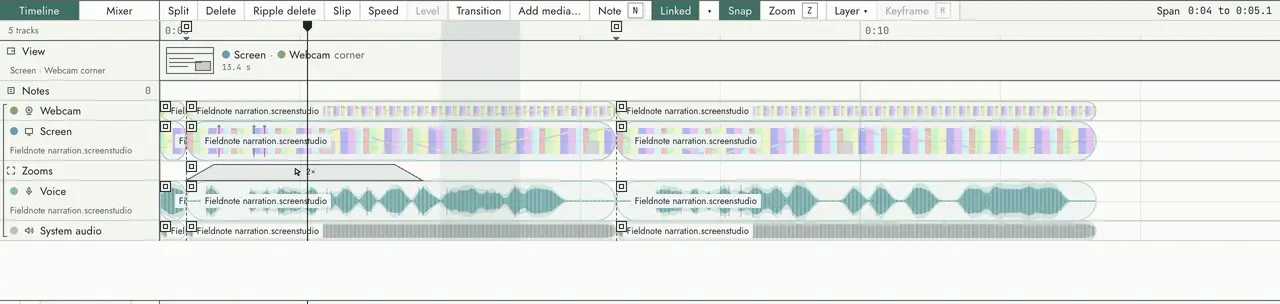
Record
The screen, a window or an area, with cameras, the microphone and system audio as separate tracks.
Edit
On a timeline, or in the transcript: remove the words and the cut is made.
Ask
An agent works with the same tools as the controls you press.
Export
One MP4, made on your Mac, that shows what the preview showed.
Record
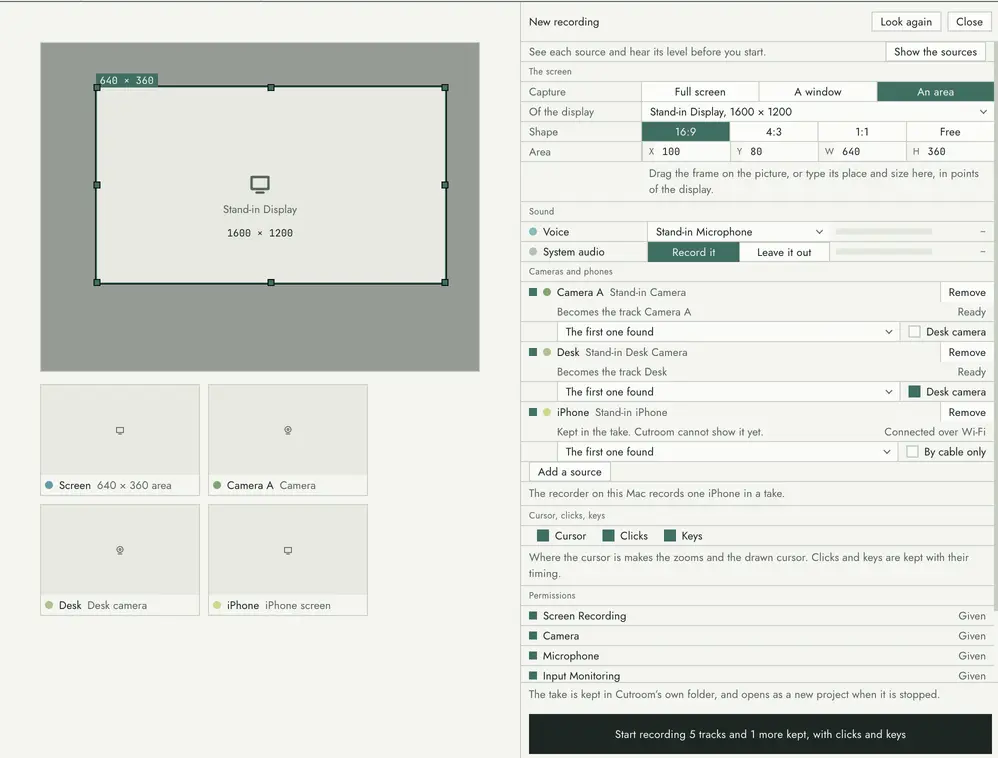
Record the screen, the camera and the sound, each on its own track.
Pick a display, a window or an area of the screen, and add cameras, an iPhone, the microphone and the sound of the Mac. Each source shows before the take starts, so you see what will be recorded.
Nothing of the app itself is in the picture: the control that floats over a take is left out of it.
- A display, a window or an area of the screen
- Cameras, and an iPhone as a camera or as its screen
- Microphone and system audio as separate tracks
- The cursor and clicks on the same clock as the picture
Edit
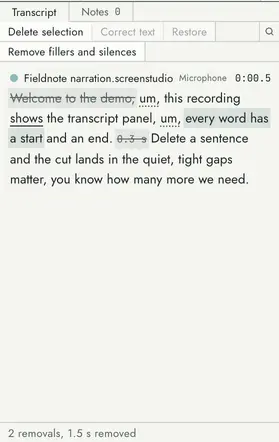
Edit by reading.
Speech is transcribed on your Mac. The words appear where the edit plays them: select some, press Delete, and the timeline is cut.
Fillers and long silences can be proposed and removed in one step, and every cut can be restored.
Ask
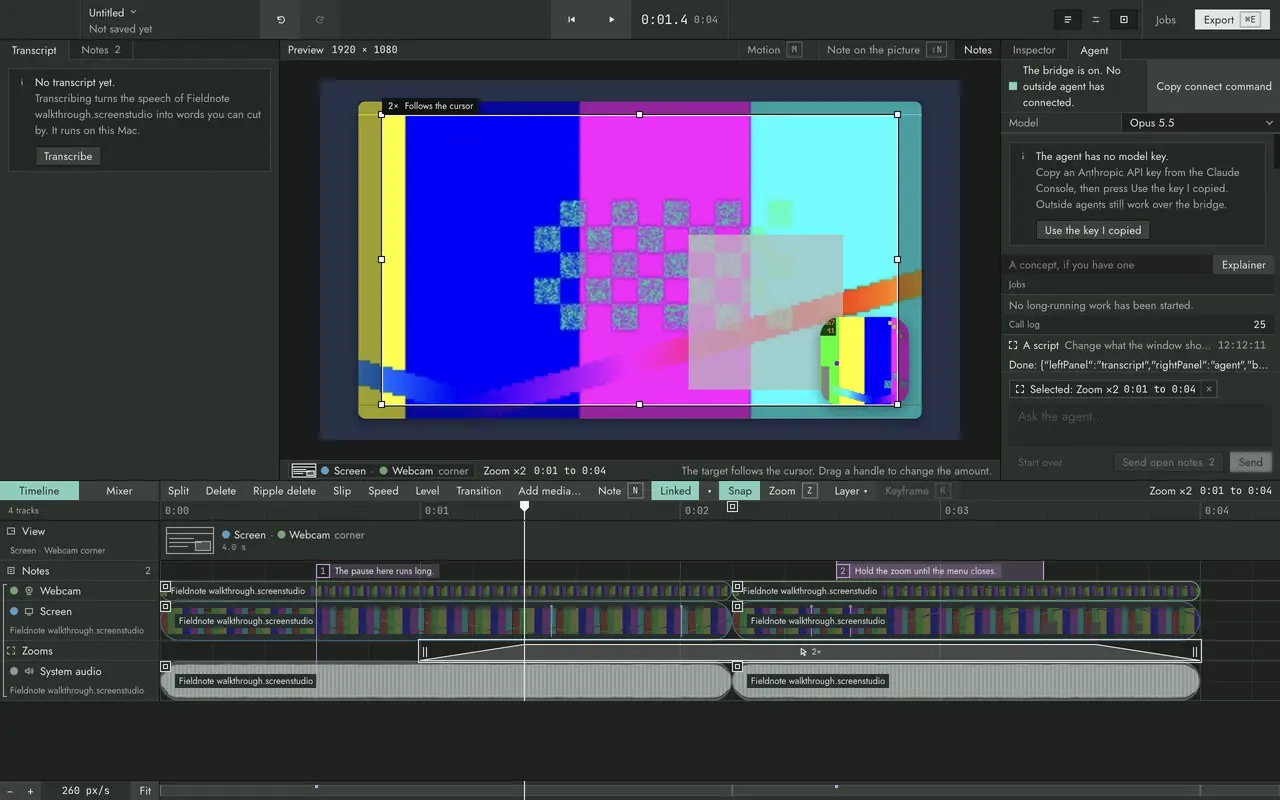
Every control is a tool.
The agent in the app’s side pane, and an agent outside it such as Claude Code or Codex, call the same functions your clicks do. Each call is checked and written in a log you can read.
The agent in the app needs an Anthropic API key of your own, which stays on your Mac.
Export
What you export is what you previewed.
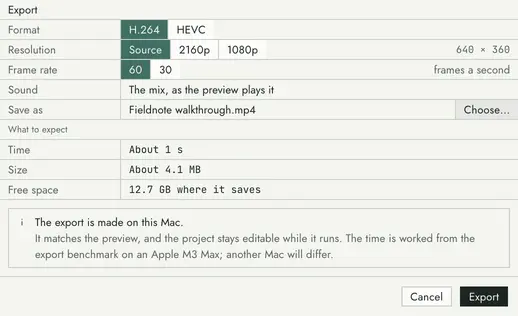
The export draws each frame with the same functions as the preview, and writes one MP4 on your Mac, in H.264 or HEVC.
Before it starts it says how big the file will be and how long it will take.
What you need
A Mac, an Every account and a code.
- A Mac with Apple silicon (M1 or newer) and macOS 14 or newer.
- An Every account, to sign up and sign in.
- An invite code, the first time.
- For the agent in the app, an Anthropic API key of your own.
The Mac app comes with an account: sign in and it is on the Download page.
The invite list
Ask for an invite.
Have a code? Sign up